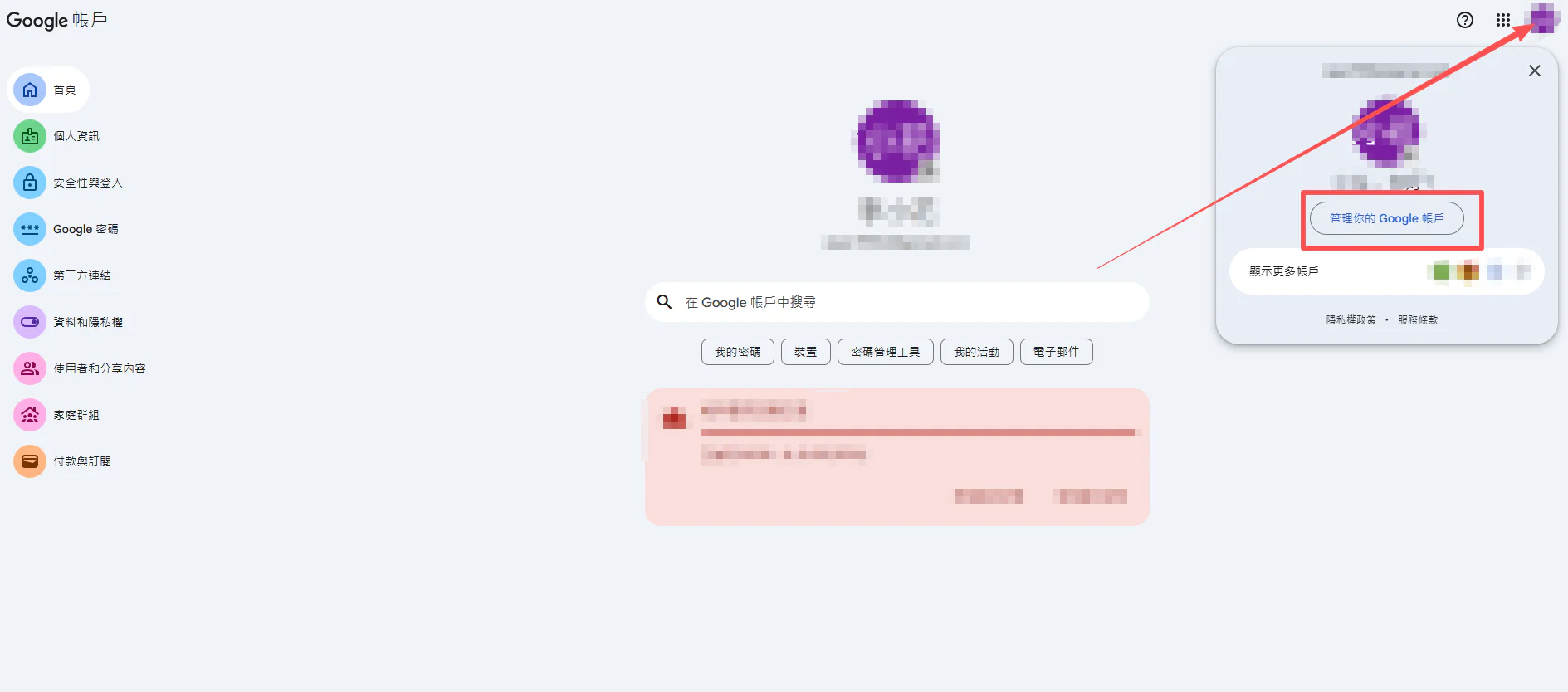
Step 1: Click to open Manage your Google Account.
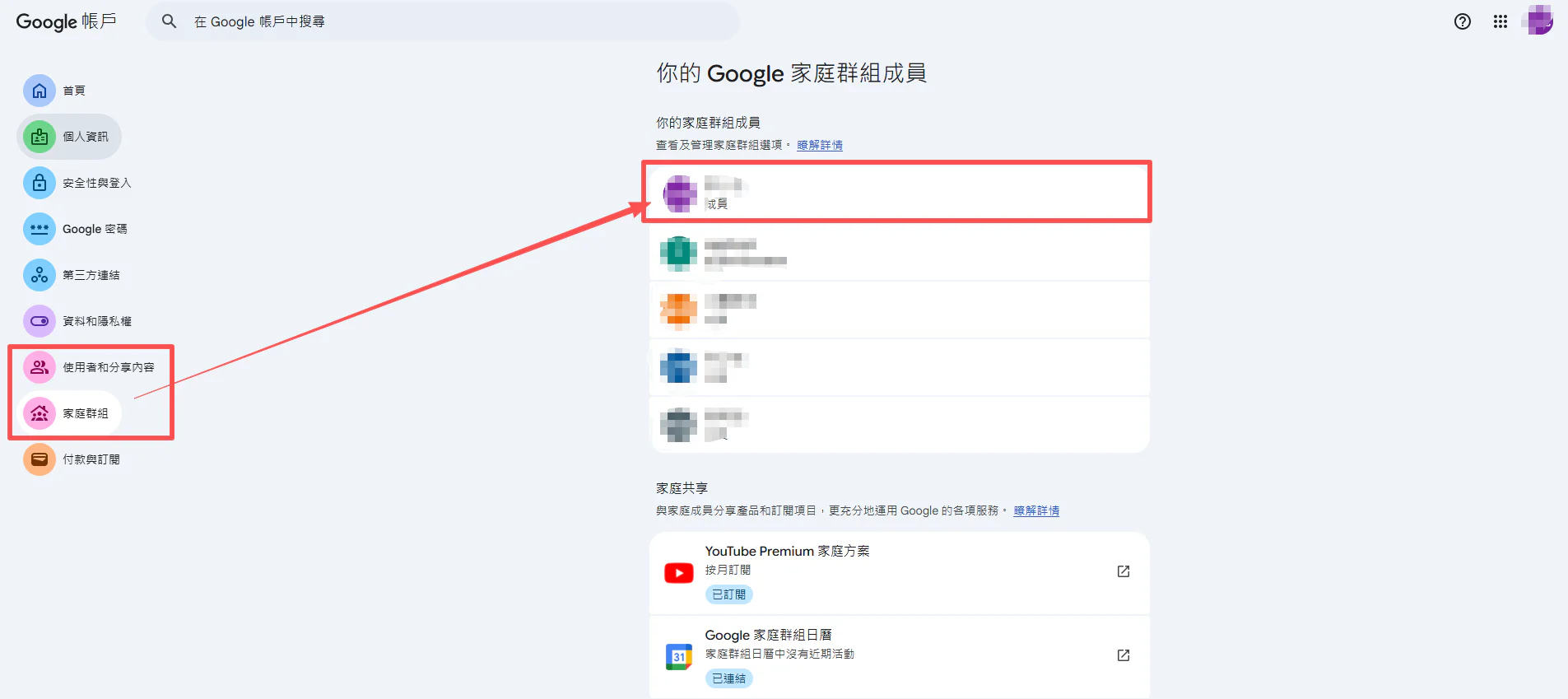
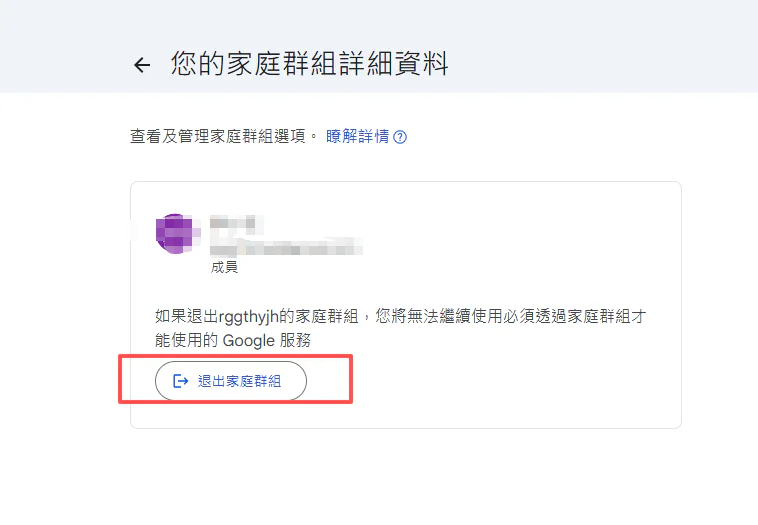
Step 2: If you are currently in a family group, click (Family group) first and leave that family group.
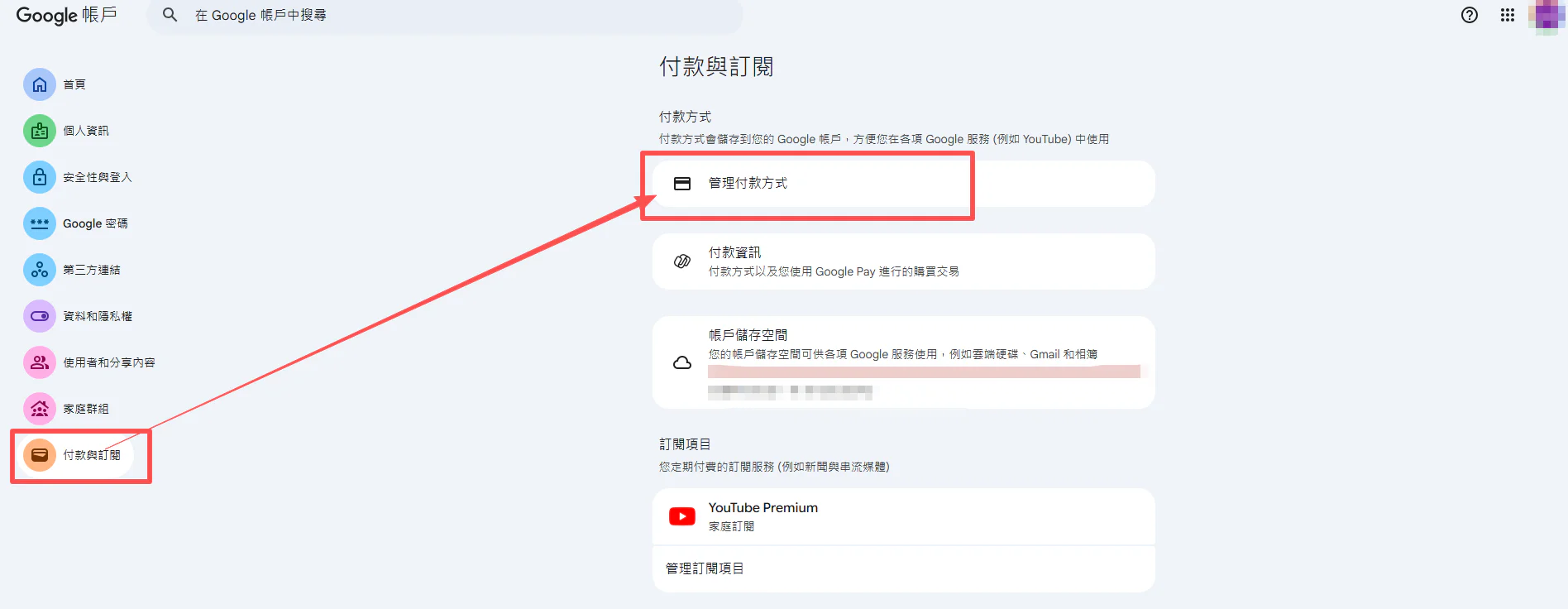
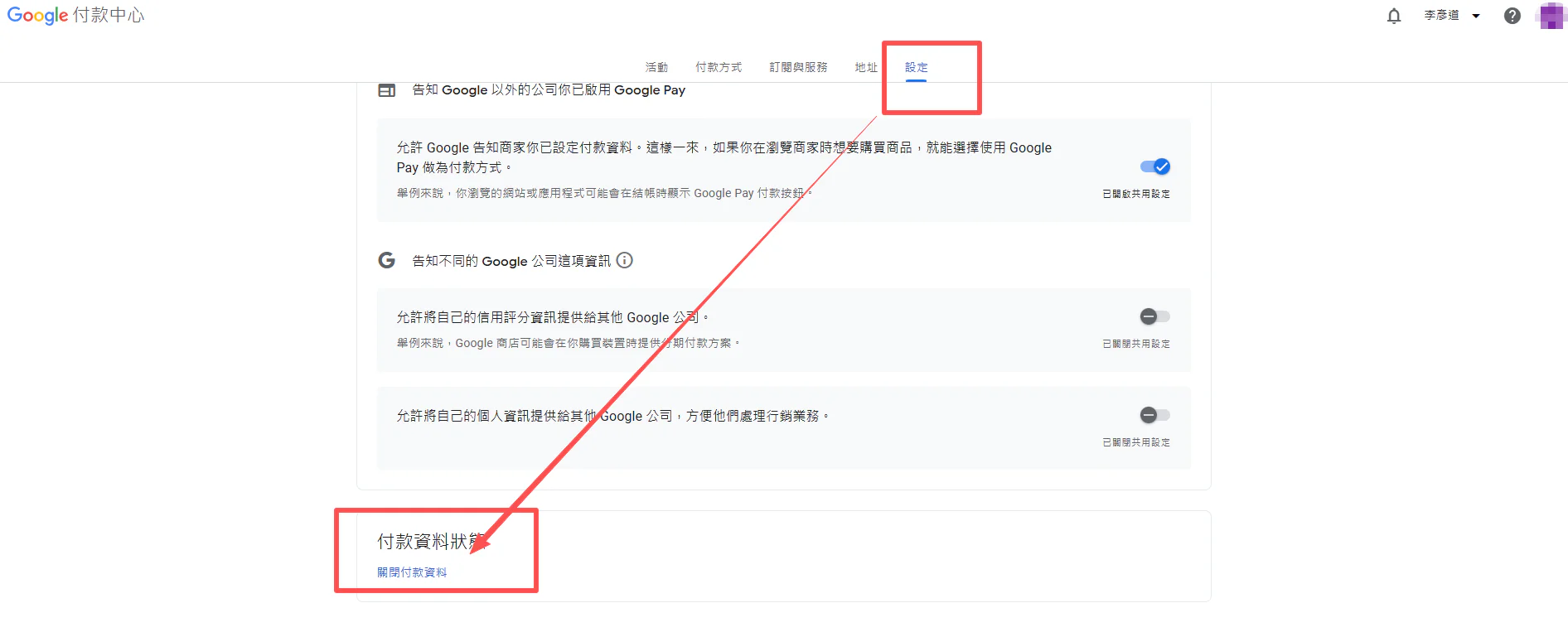
Step 3: Once you are not in a family group (or after leaving one), go to (Payments & subscriptions), then click Settings and scroll to the bottom of the page.
Remove any payment methods that don't belong to your current region (some users have multiple payment methods from other regions — please remove all of them).
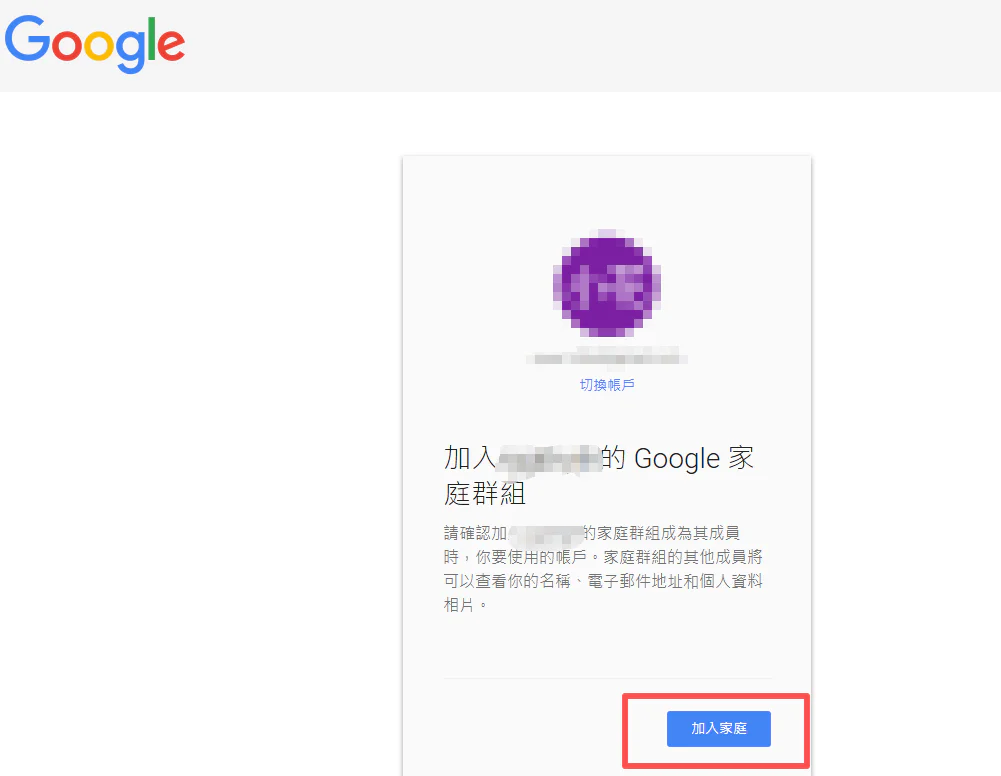
Step 4: Finally, click the invitation link we sent you, then click "Join family group" — and you're all set.
The family group gives you exactly the same features as a personal subscription, and there's no need to contact customer support every month to renew. You can enjoy stable access until your subscription expires.