Table of Contents — click to jump to your question
✨ How the Steam Plan Works
After purchasing a game, sign in with the dedicated Steam account provided by PremLogin.
Once you're signed in, contact our support team for the activation guide. Follow the steps to complete activation, then you can download your game and start playing right away.
👉 Want to add a new game to the dedicated Steam account PremLogin already provided? Just contact support in advance and we'll take care of it for you.
1. Account & Usage Rules
After activation, your game is tied to your device and your Steam installation. You will need to reactivate the game — and your saved progress will be lost — if you:
- Reinstall Steam
- Reinstall your operating system
Usage rules: Always sign in with the dedicated account we provide. Do not use your personal account or switch sign-in methods.
2. Activation Steps
Step 1: Press Win + X on your keyboard and open PowerShell (Terminal as Administrator) (A).
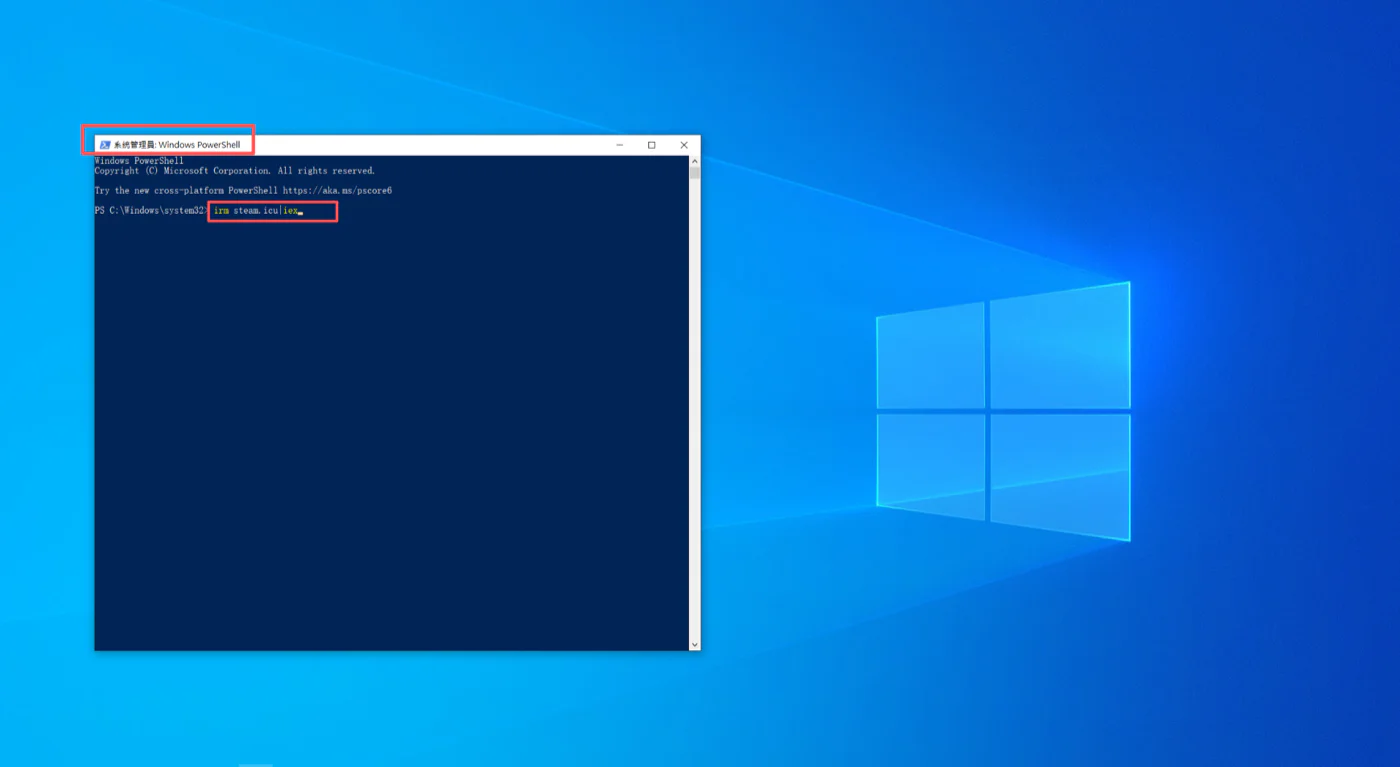
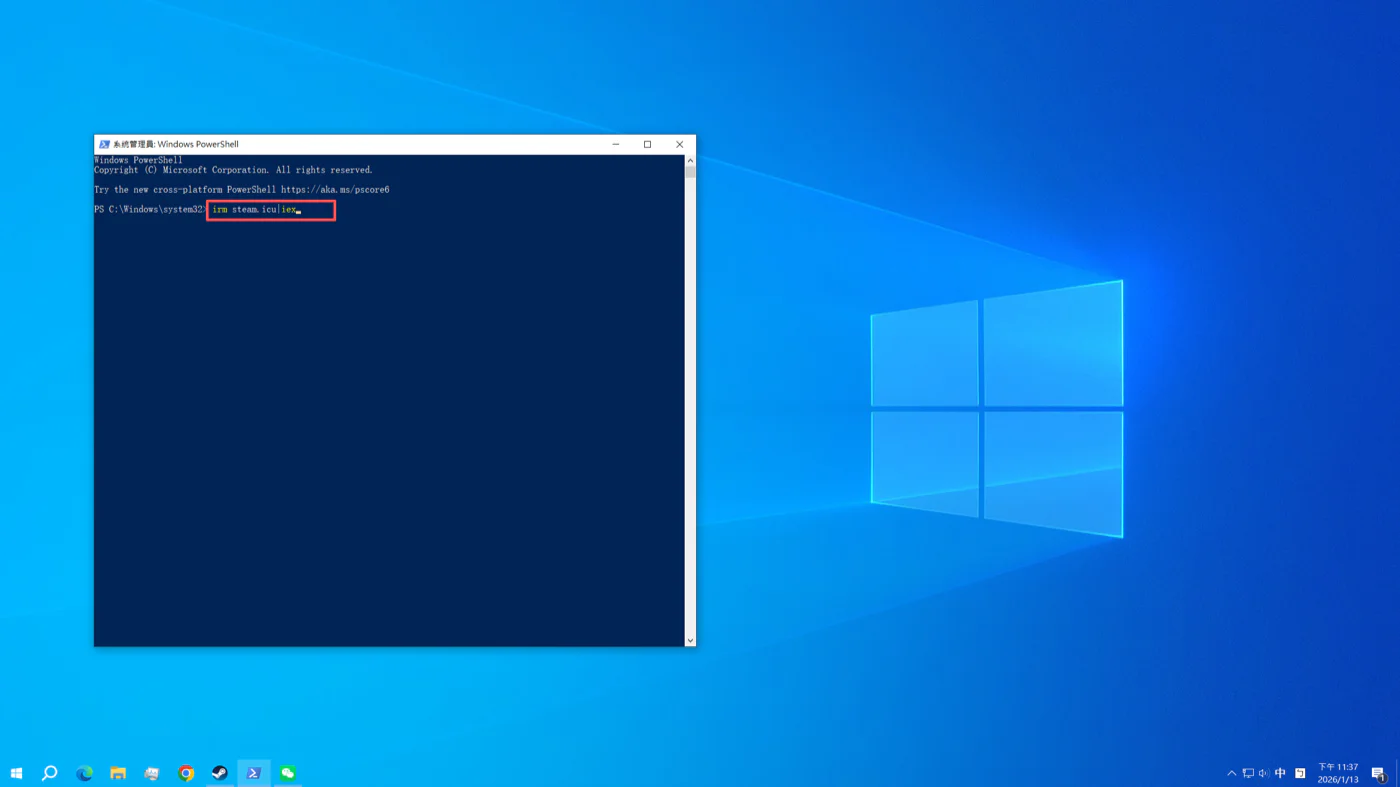
Step 2: Enter irm steam.icu|iex (copy and paste it — don't type it by hand — then press Enter).
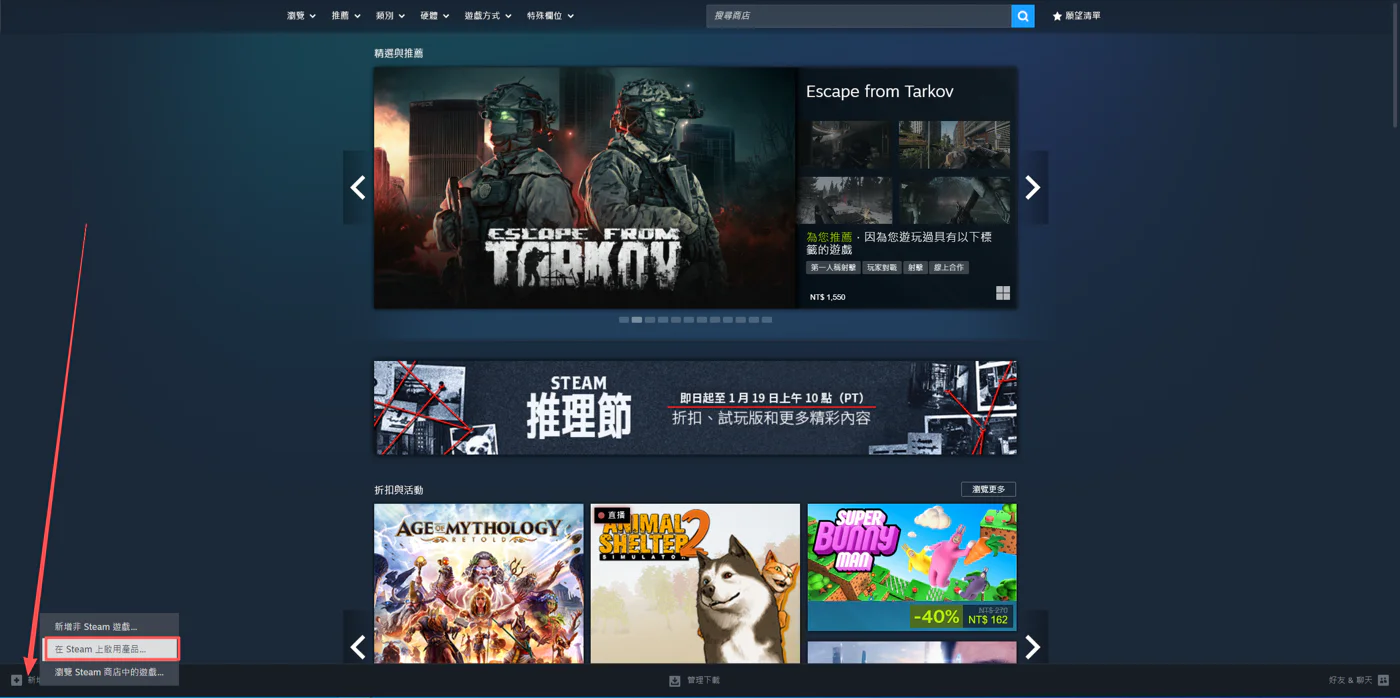
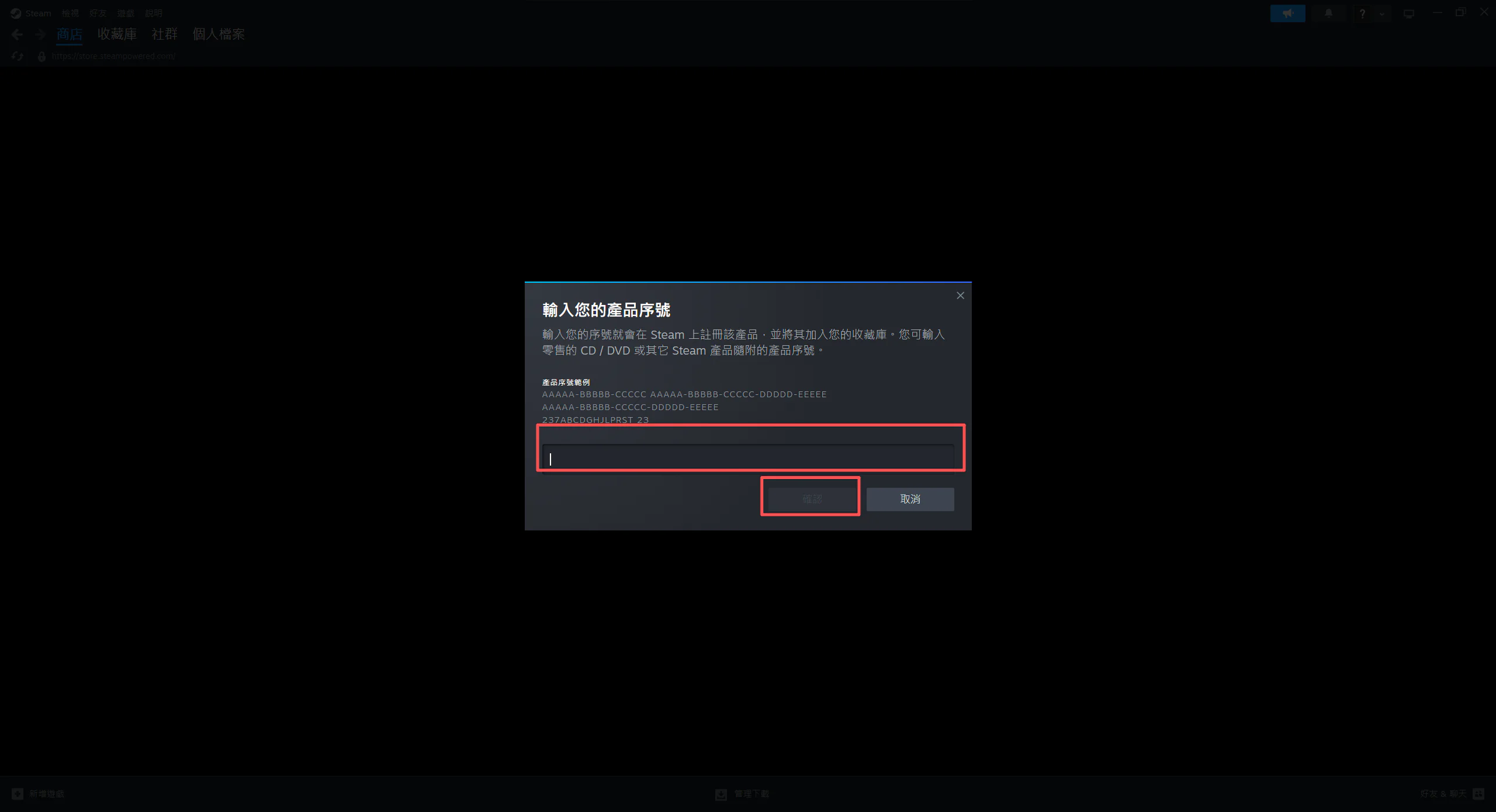
Step 3: Launch Steam, enter your game key in the game key field at the bottom left, and wait for activation to finish. You can then download the game from your Library.
Hi there — we'd love to invite you to join our affiliate program 😊
If you already share great subscription deals with friends, you can earn a commission whenever someone signs up and makes a purchase through your exclusive referral link. The more you share, the more you earn.
Turn the recommendations you're already making into extra income — if you're interested, we'd love to have you on board!
Apply on our website: premlogin.com/affiliate
Manual application: https://lin.ee/6vS91dN