Contents
- 1. Getting a Verification Code for GPT Login
- 2. Getting a Verification Code for a Netflix Shared Plan Account
- 3. Getting a Verification Code for Perplexity Login
- 4. What If Disney Asks for a Verification Code?
- 5. Contacting Customer Support for a Verification Code
1. Getting a Verification Code for GPT Login
Go to the official OpenAI website (https://chat.openai.com/) or the official app.
-
Click Log in and enter the account credentials from your subscription on our website. If you're asked to verify with an email verification code:
-
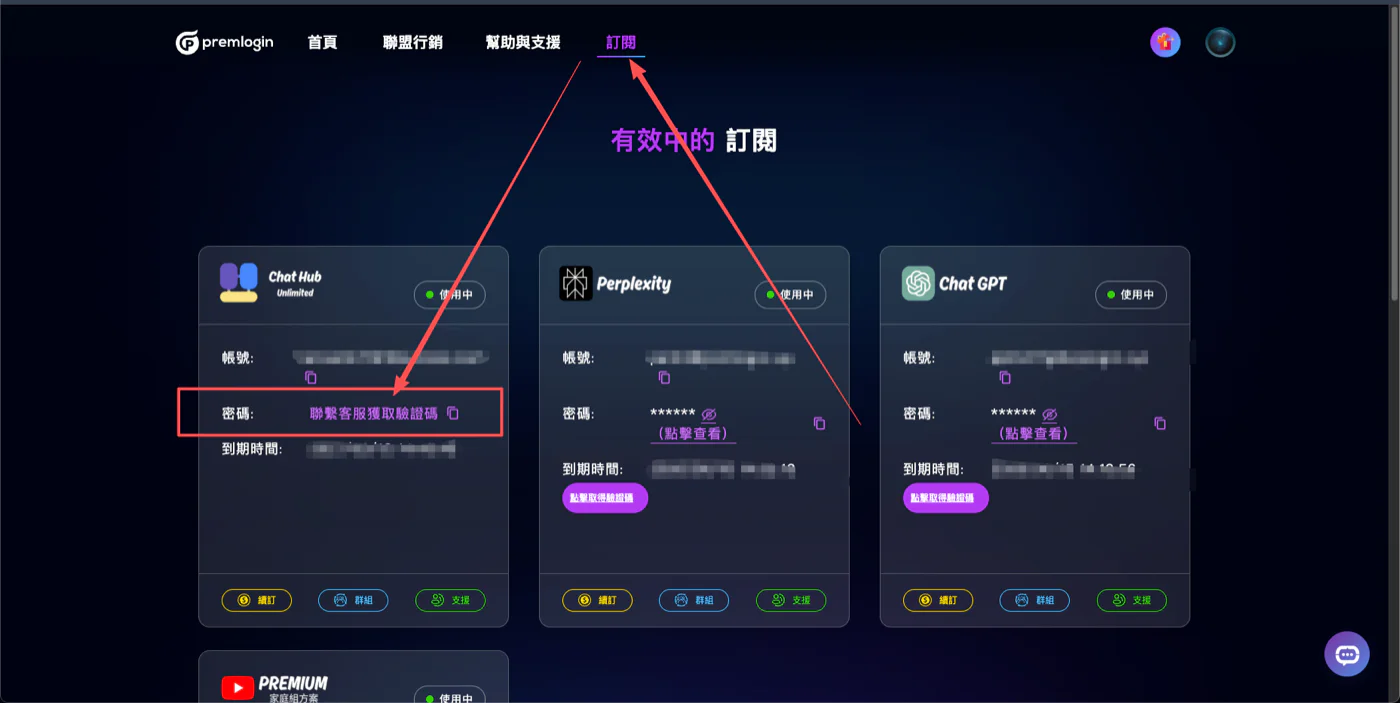
After requesting the code, go to your GPT subscription page on our website, wait 15 seconds, then click Get Verification Code.
Enter the 6-digit code on the GPT login screen and you're done.
2. Getting a Verification Code for a Netflix Shared Plan Account
Go to the official Netflix website (https://www.netflix.com/) or the official app.
-
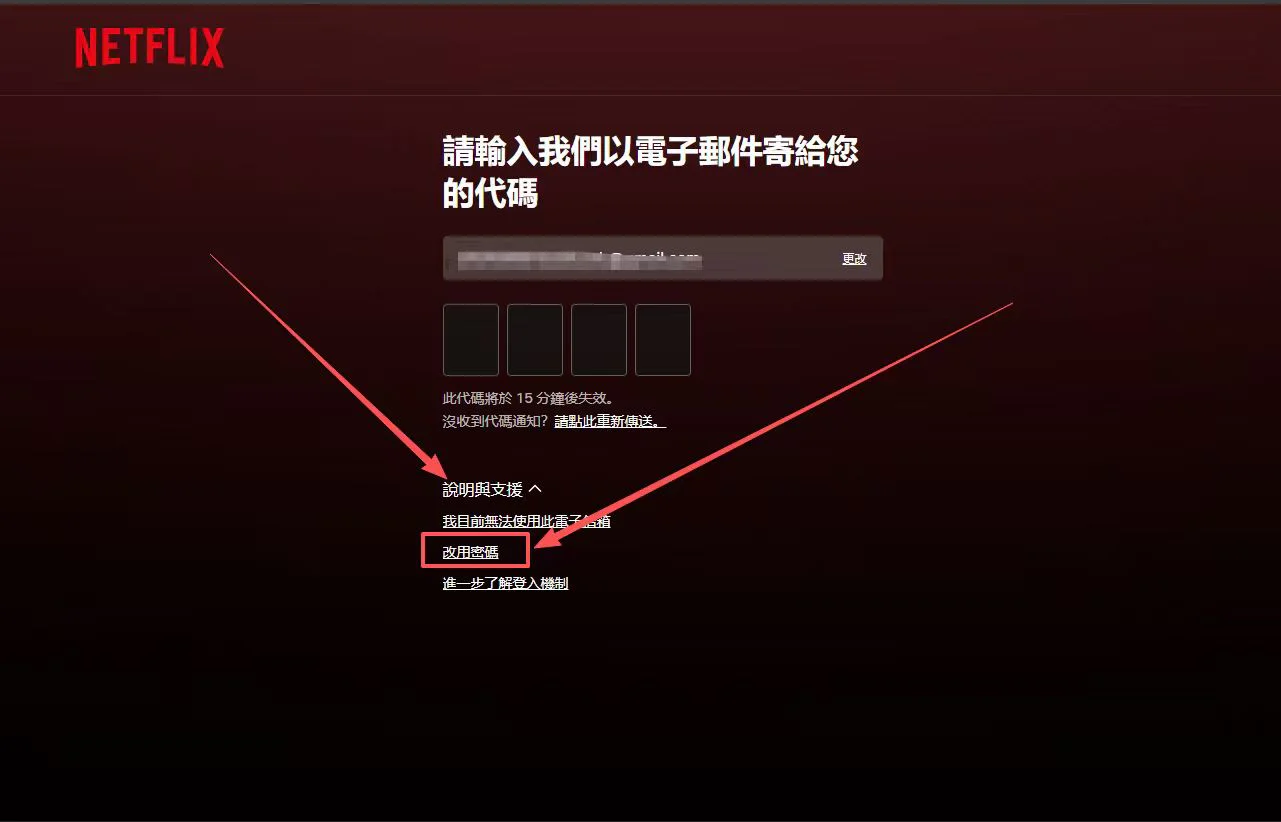
Enter the account credentials from your subscription on our website, then click to send the verification email.
-
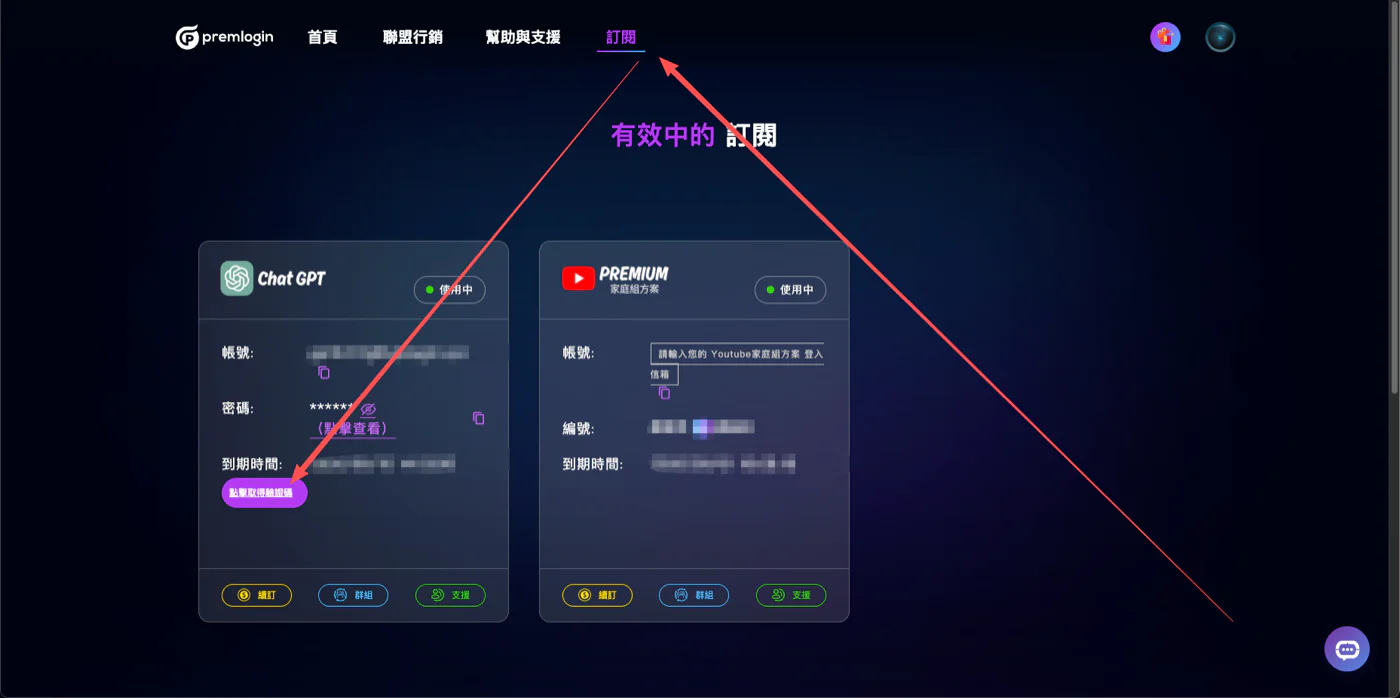
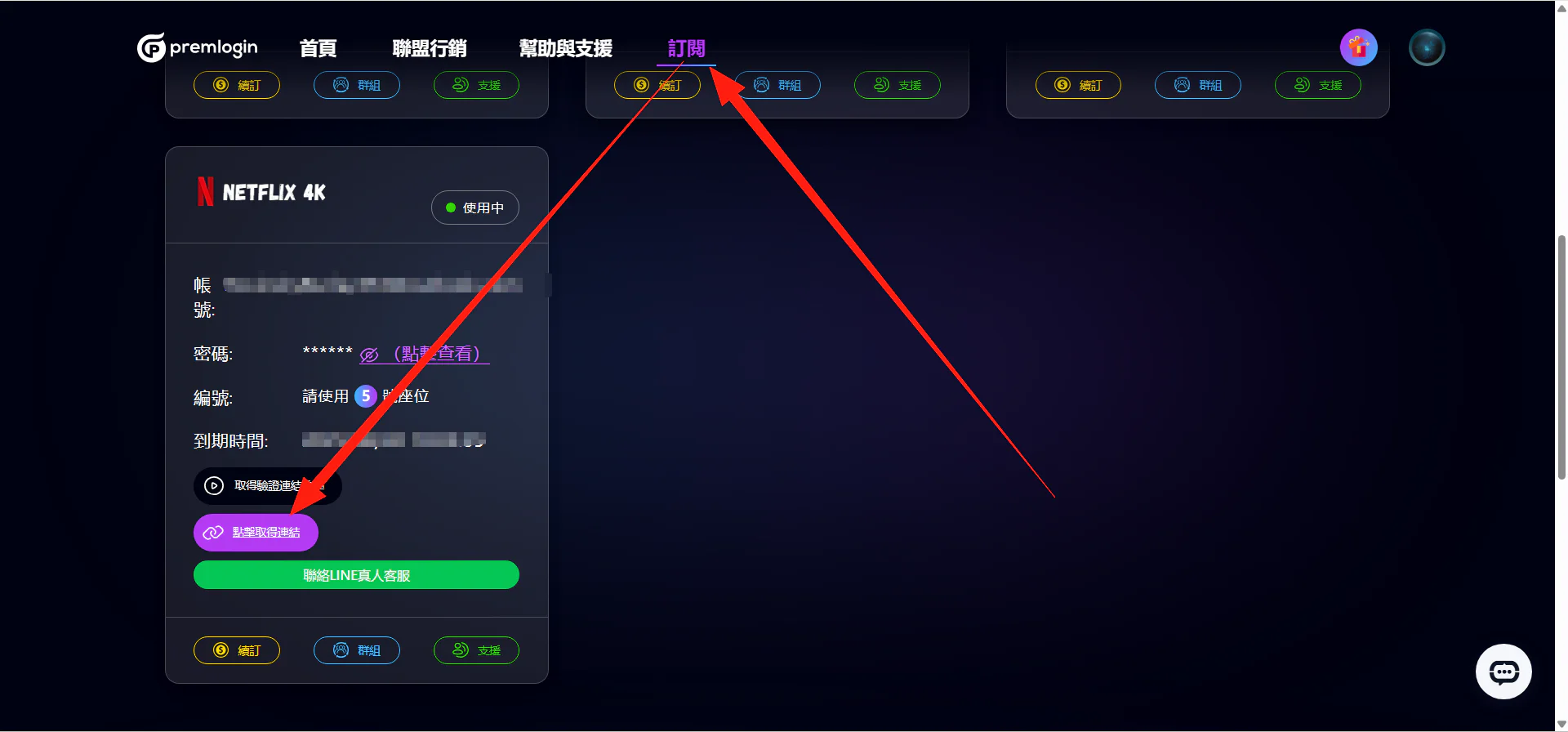
After requesting the code, go to your Netflix subscription page on our website, wait 15 seconds, then click Get Verification Code.
Enter the code on the Netflix login screen and you're done.
(For dedicated accounts, please sign in with your password.)
3. Getting a Verification Code for Perplexity Login
Go to the official Perplexity website (https://www.perplexity.ai/) or the official app.
-
Enter the account from your subscription on our website, then click to send the verification email.
-
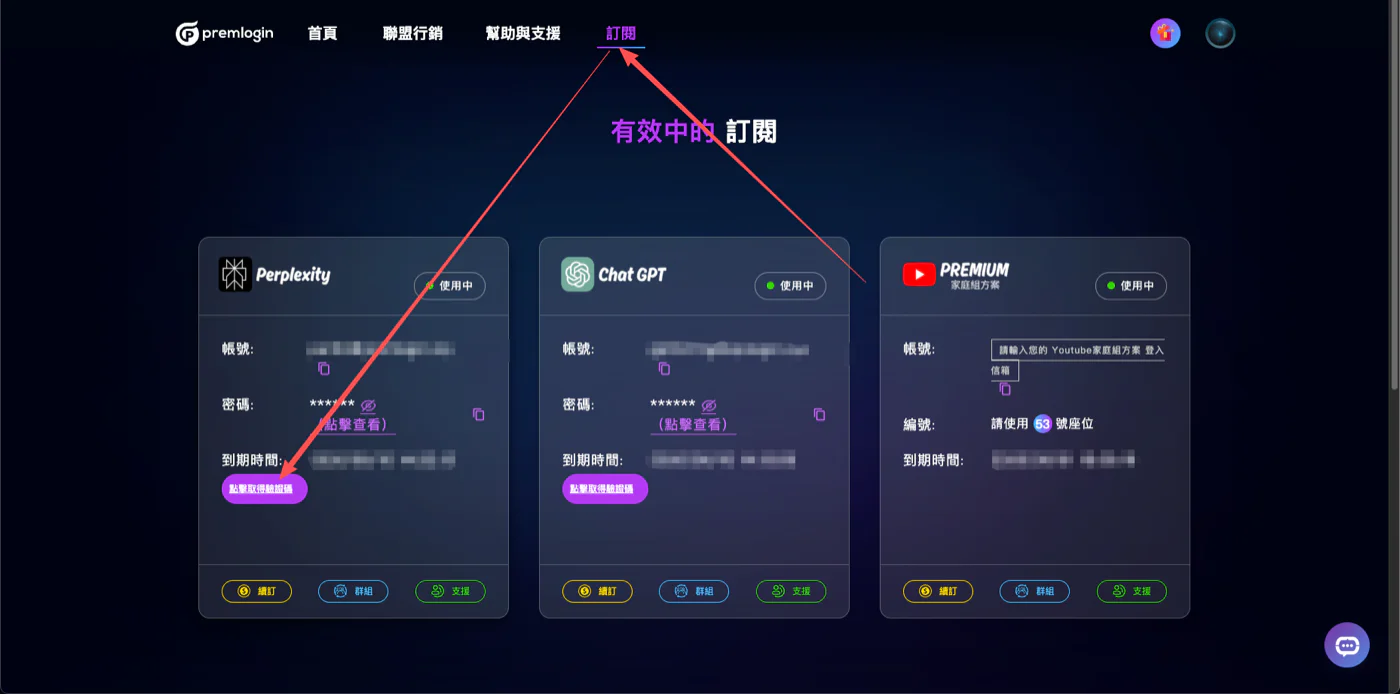
After requesting the code, go to your Perplexity subscription page on our website, wait 15 seconds, then click Get Verification Code.
Enter the code on the Perplexity login screen and you're done.
4. What If Disney Asks for a Verification Code?
If you're prompted for a verification code when logging in to Disney, contact our live chat support anytime. We'll help you get the code right away so you can finish logging in.
5. Contacting Customer Support for a Verification Code
For products that require contacting support to get a verification code, reach out to us on our website or via LINE. We'll help you get the code right away so you can finish logging in.